 In-Journey Options
Select an Essential
Passengers open in WhatsApp to select your Travels chat, select In-Journey Options, and choose the item they need.
Request essential items during your bus journey through WhatsApp and receive quick assistance from our crew, right at your seat.

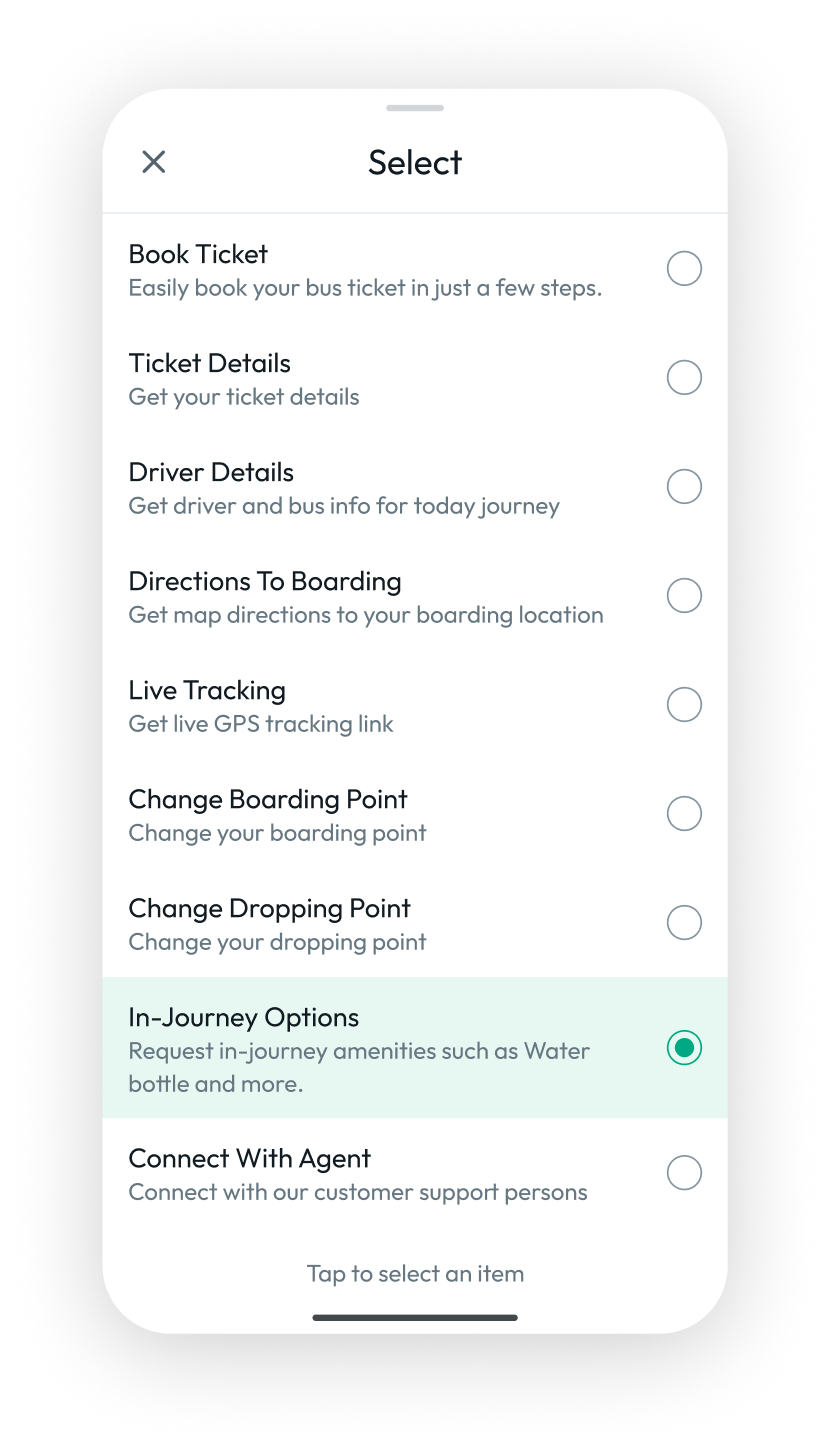
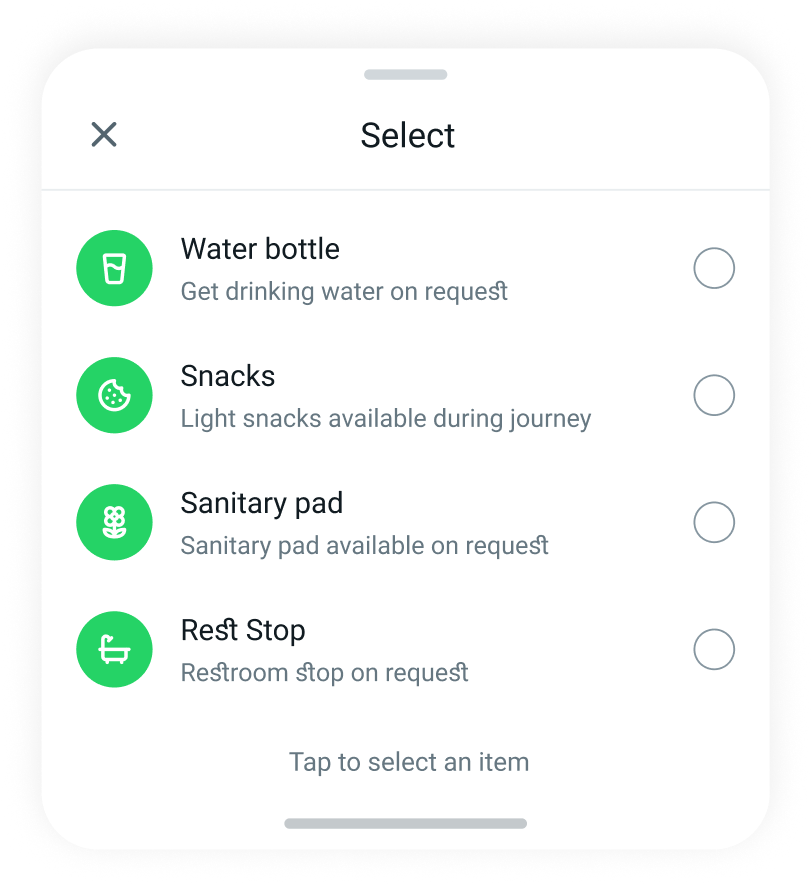
Empower women passengers to request essential items discreetly through WhatsApp and receive timely, comfortable, and personalised assistance directly from the bus crew during their journey.
In-Journey Options
Passengers open in WhatsApp to select your Travels chat, select In-Journey Options, and choose the item they need.
 Seat 05 · Sanitary pad
The passenger's request appears in the BusBuddy tab, allowing the crew to review the item and passenger seat details.
 Delivered to seat
The crew accepts the request, prepares the item, and delivers it directly to the passenger's seat.
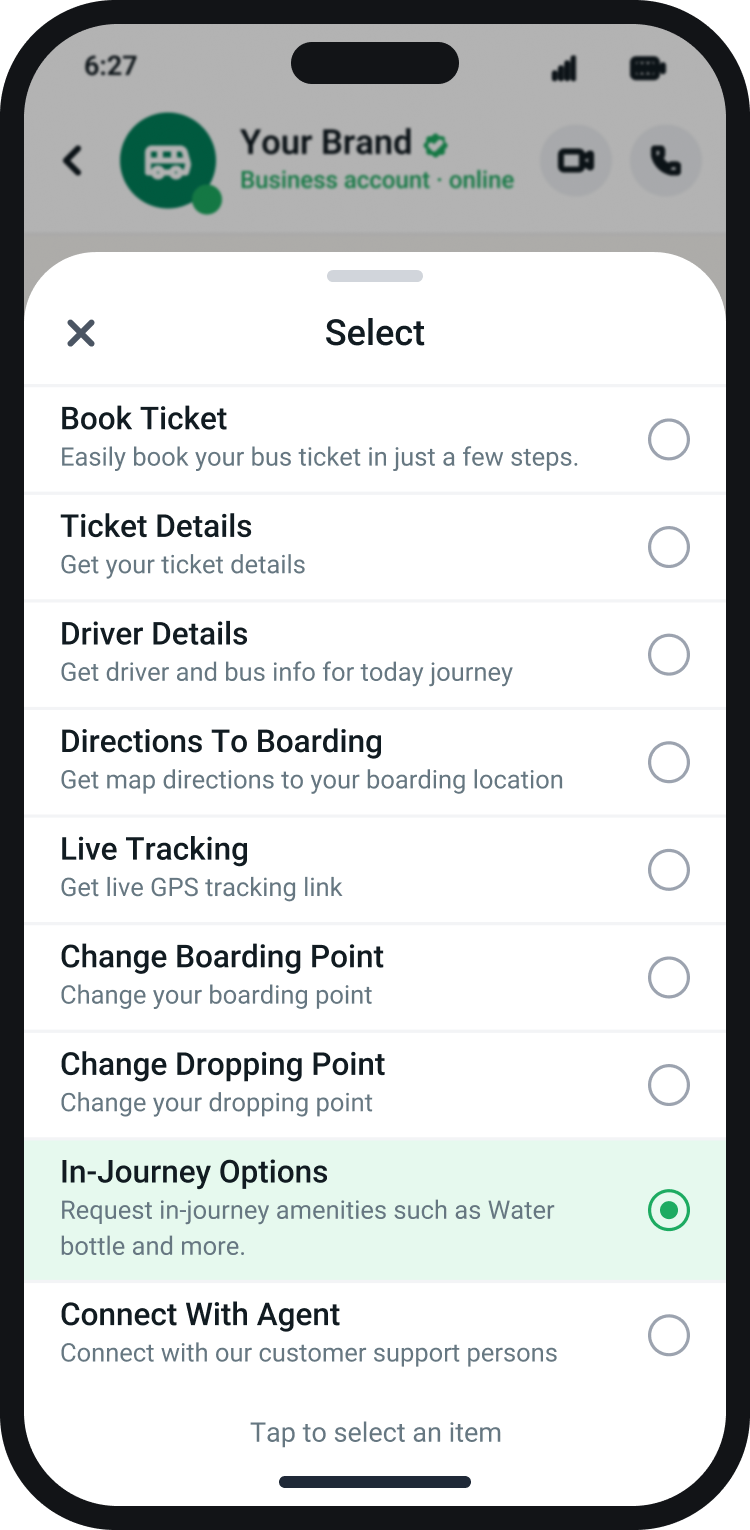 Step 1
Tap the menu and pick In-Journey Options.
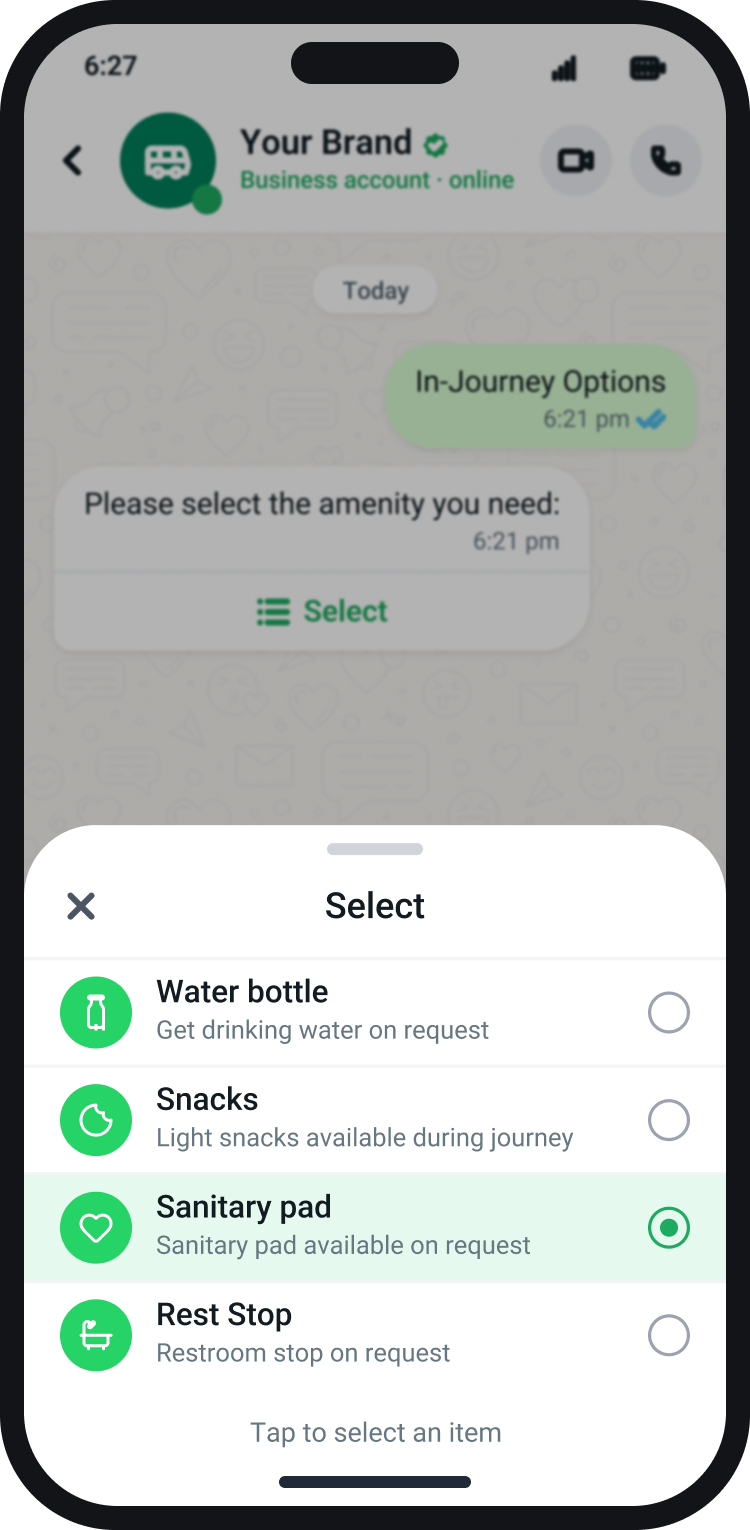 Step 2
Select the item(s) you need from the list.
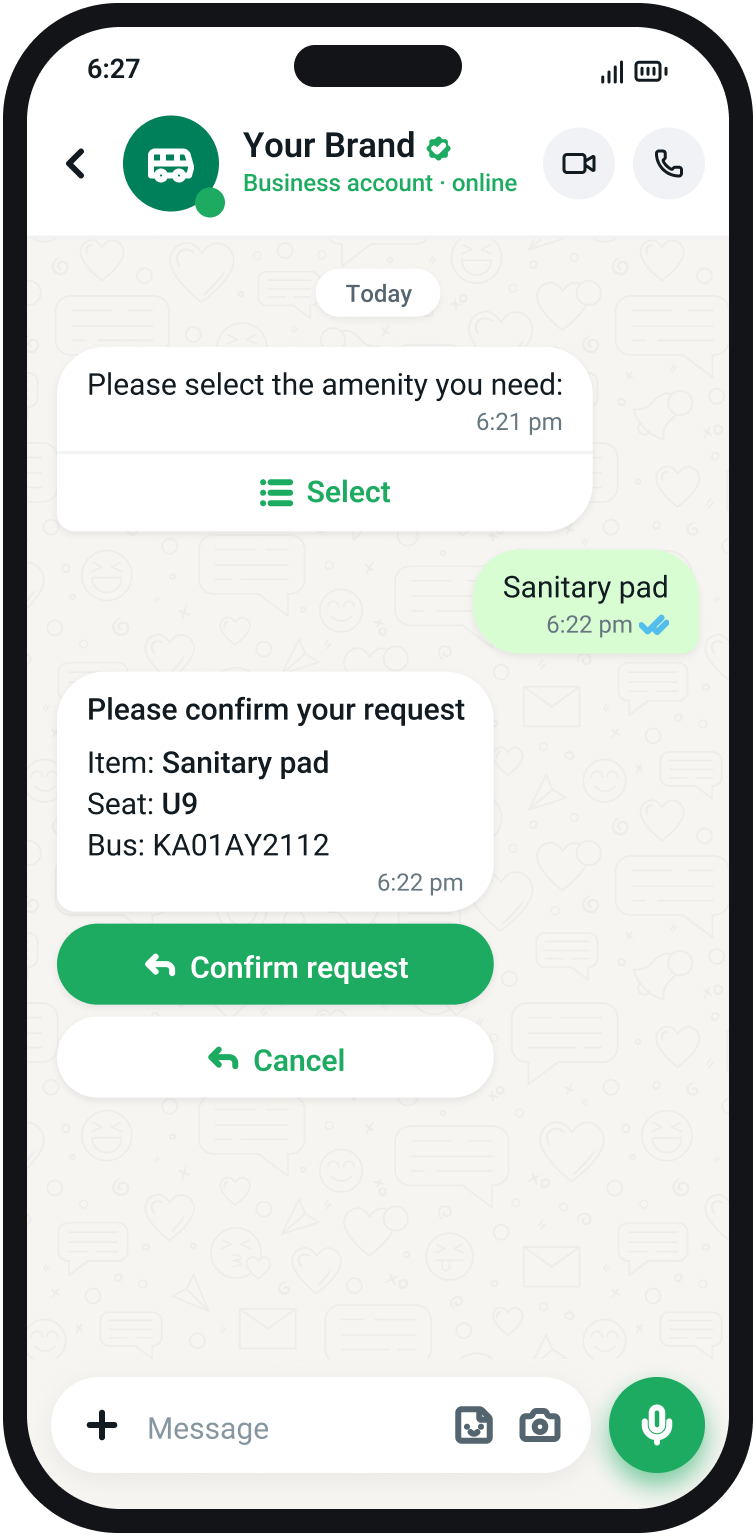 Step 3
Review the item and seat, then confirm.
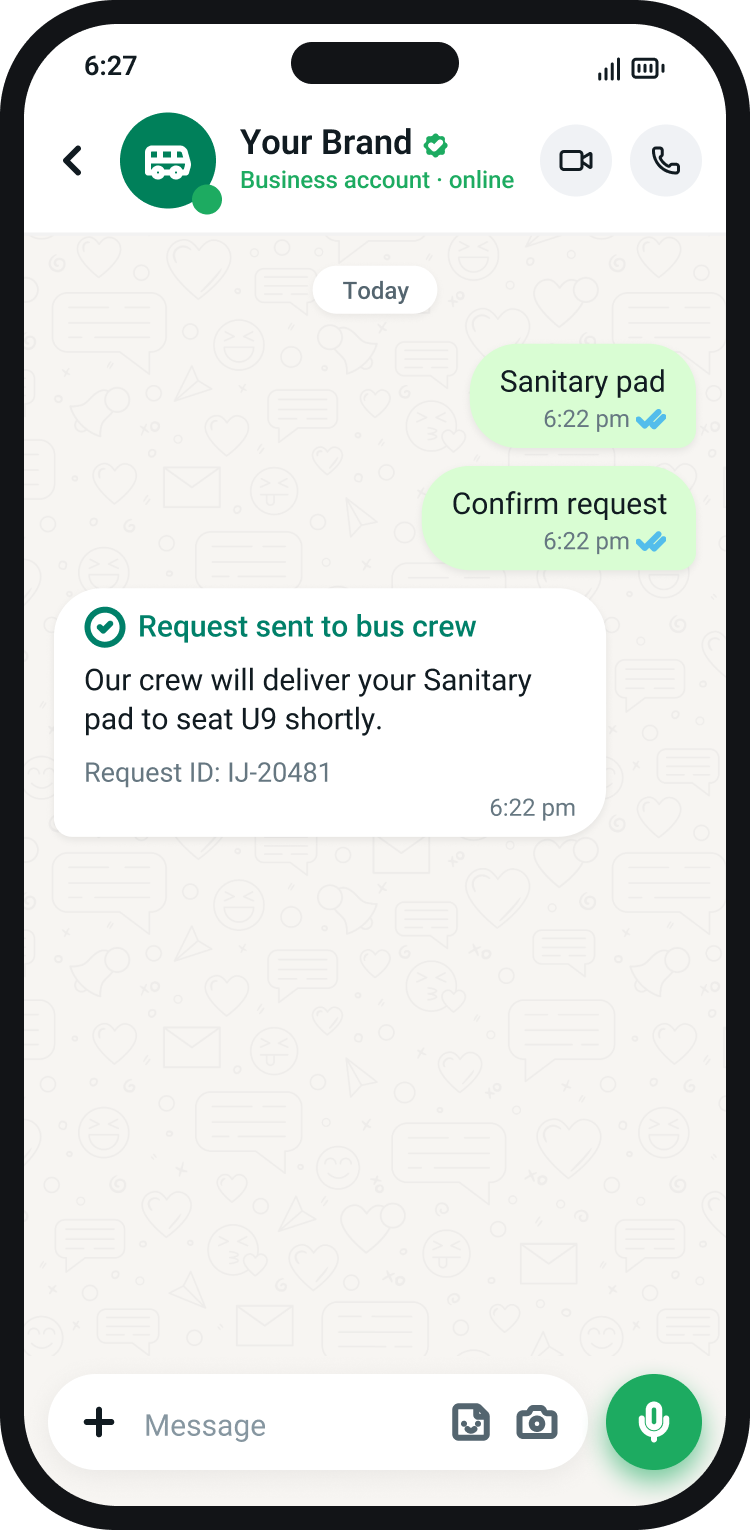 Step 4
The crew is notified in BusBuddy instantly.
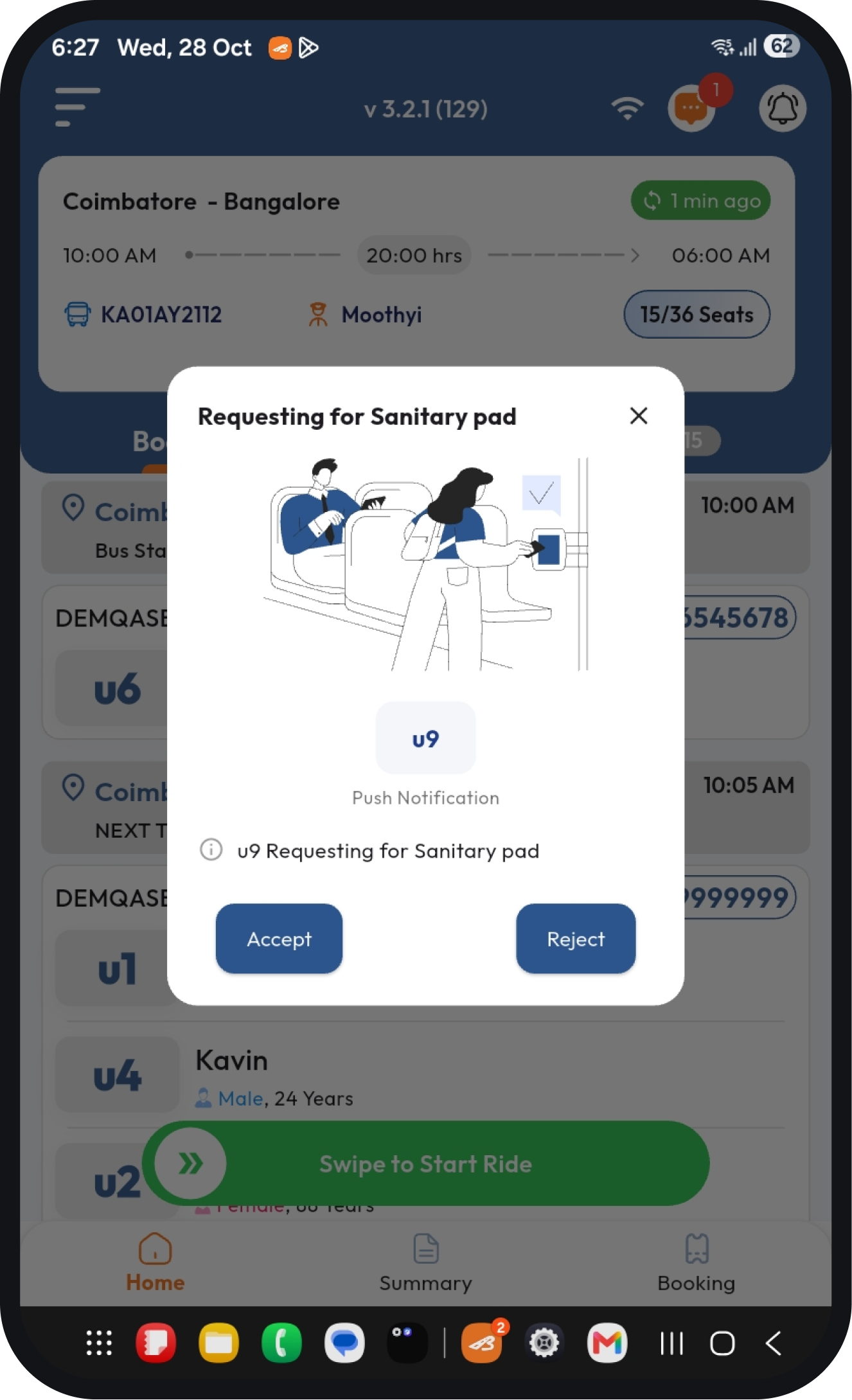
Give bus crew a clear, actionable notification whenever a passenger requests an essential item through WhatsApp.

From a bottle of water to a sanitary pad, every request travels from a passenger's WhatsApp to the crew's BusBuddy app, and back to the seat.
Book Your Free DemoHelp passengers access essential items conveniently throughout their journey.
Send passenger requests directly to the crew through BusBuddy notifications.
Organize incoming requests with a clear, actionable notification workflow.
Deliver thoughtful, responsive service that makes every journey more comfortable.