Seat Management Every Seat, Accounted For

EzeeBus seat management brings blocking, allocation, quotas and occupancy into one clear view of your bus inventory — so every team knows which seats are free, held or reserved.
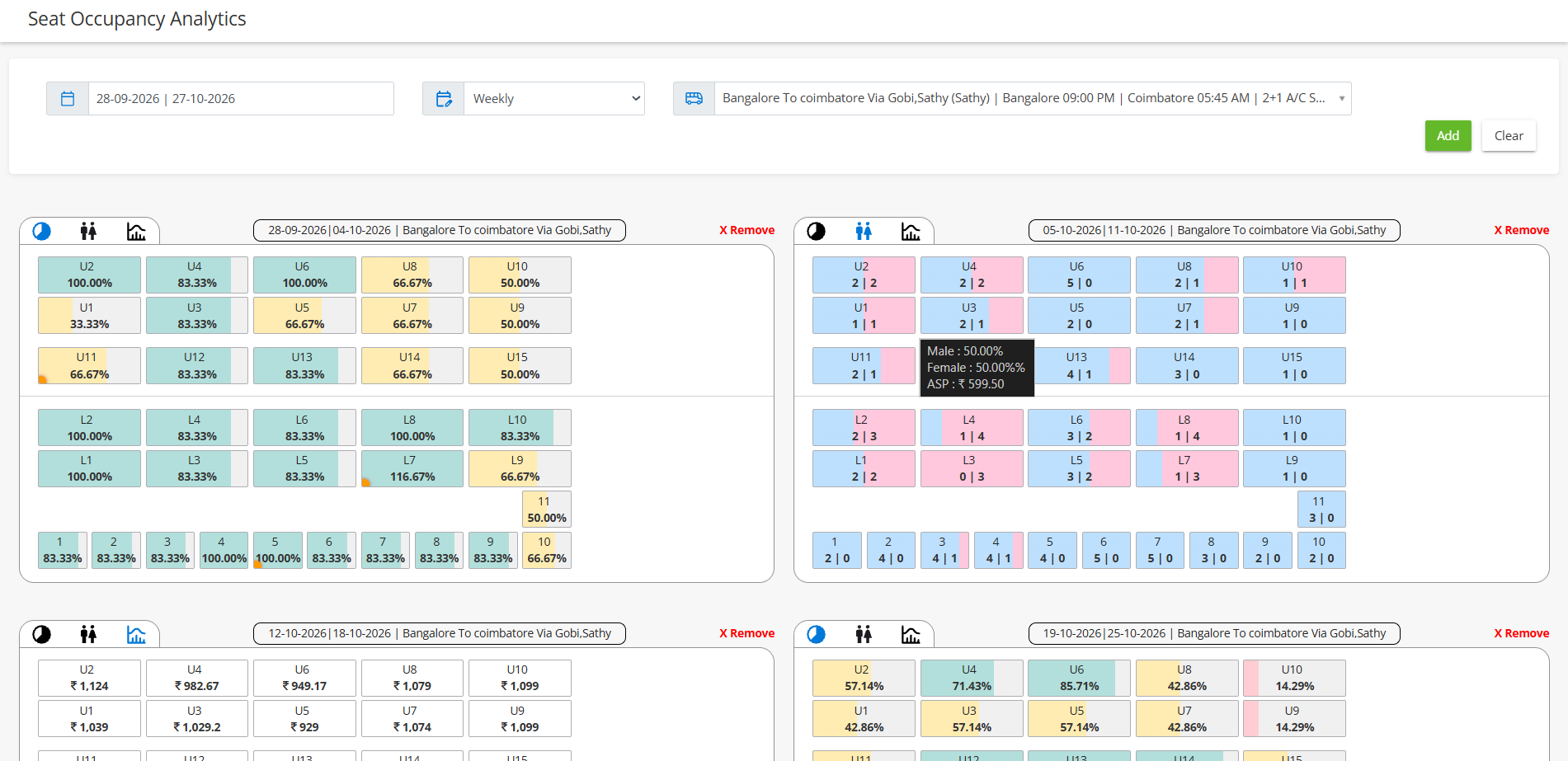
EzeeBus Seat Occupancy Analysis dashboard
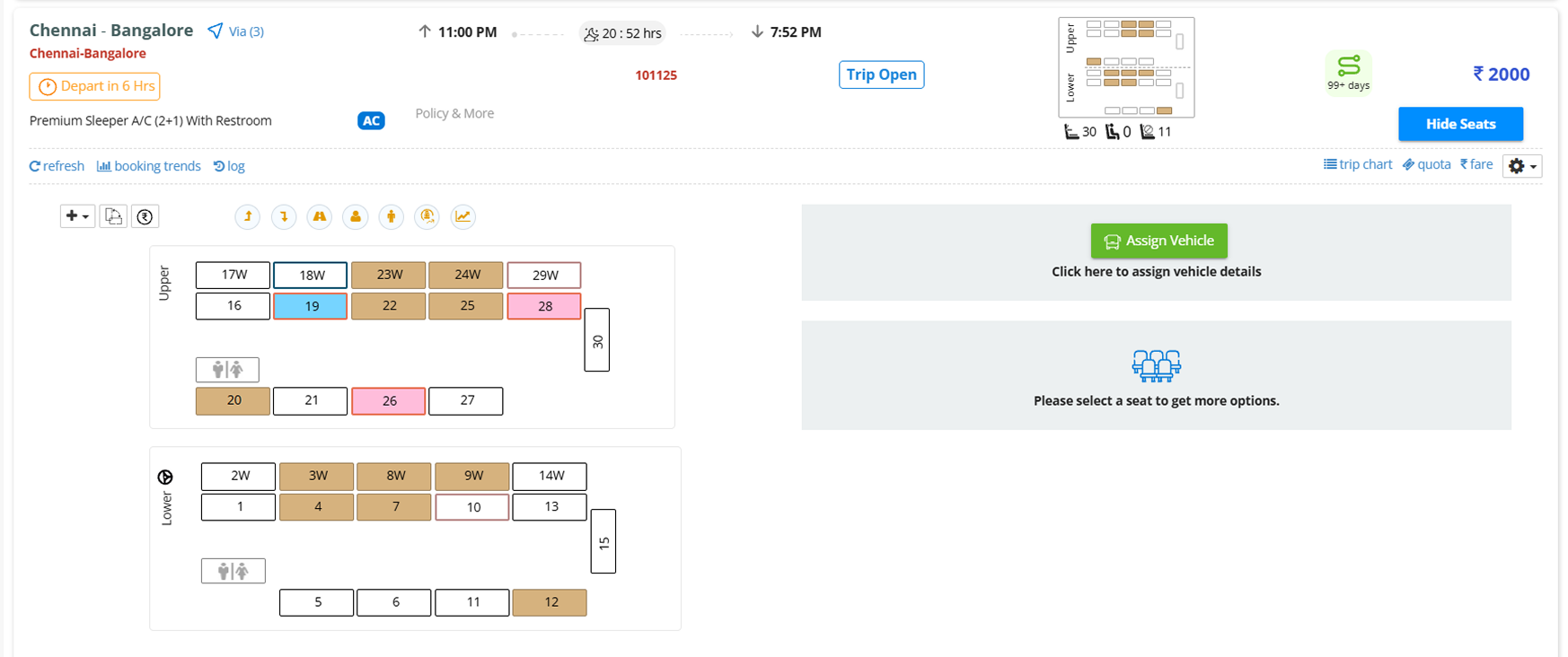
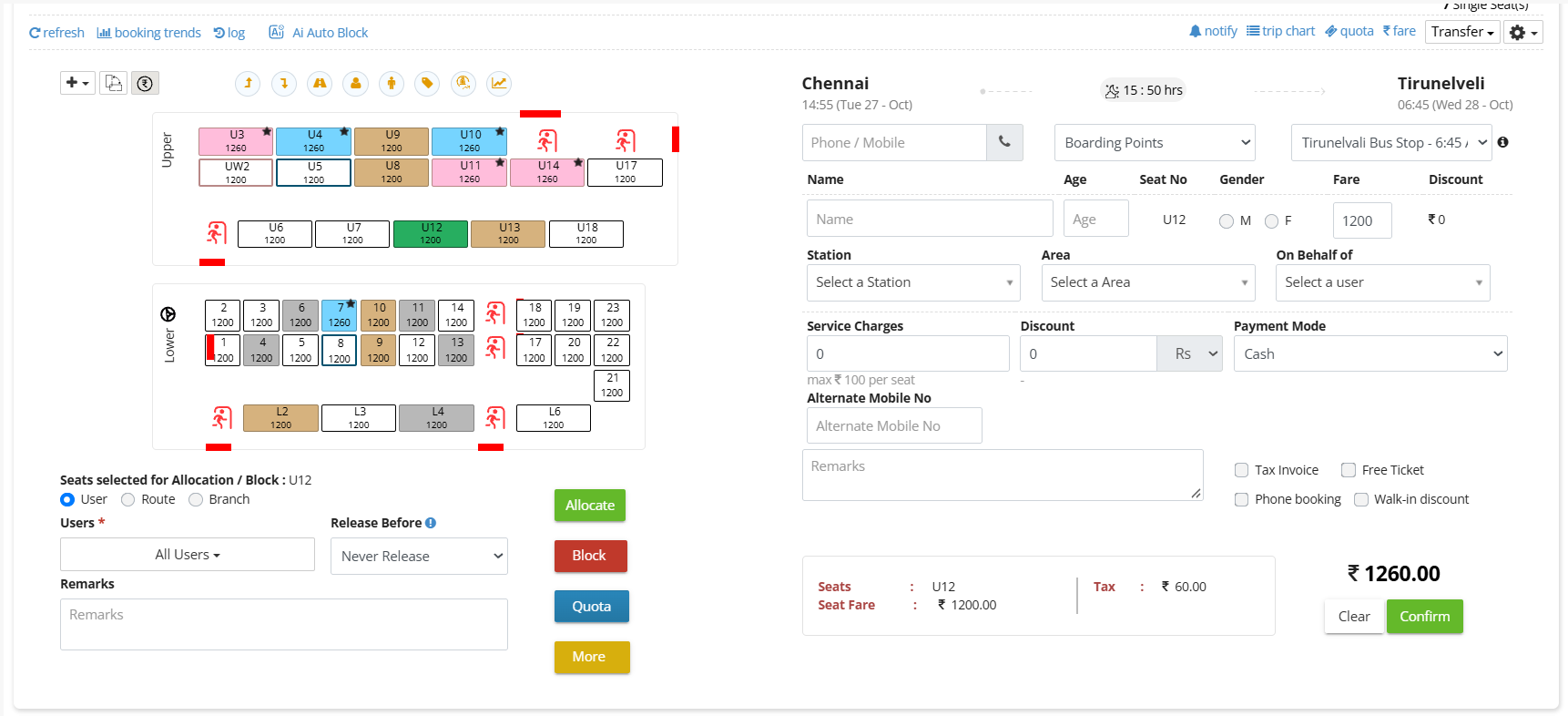
EzeeBus seat layout with blocking and allocation
Seat Blocking 2 seats on hold
Allocate Seats 3 seats — Hosur Branch
Quota Seat Management Agent quota · 2 seats
Seat Occupancy Analysis 78% occupied tonight

One Inventory. Four Ways to Control it.

Every seat on a departure flows through the same inventory — blocking, allocation, quotas and occupancy are simply different lenses on it.

Seat Blocking

Hold seats out of sale and keep availability easy to read.

Quota Seat Management

Reserve inventory for agents, branches and booking channels.

Seat inventory Every seat, every departure

Allocate Seats

Assign seats to users, routes or branches with release timing.

Gender Preference

A smarter way to Manage male and female seat preferences with ease.
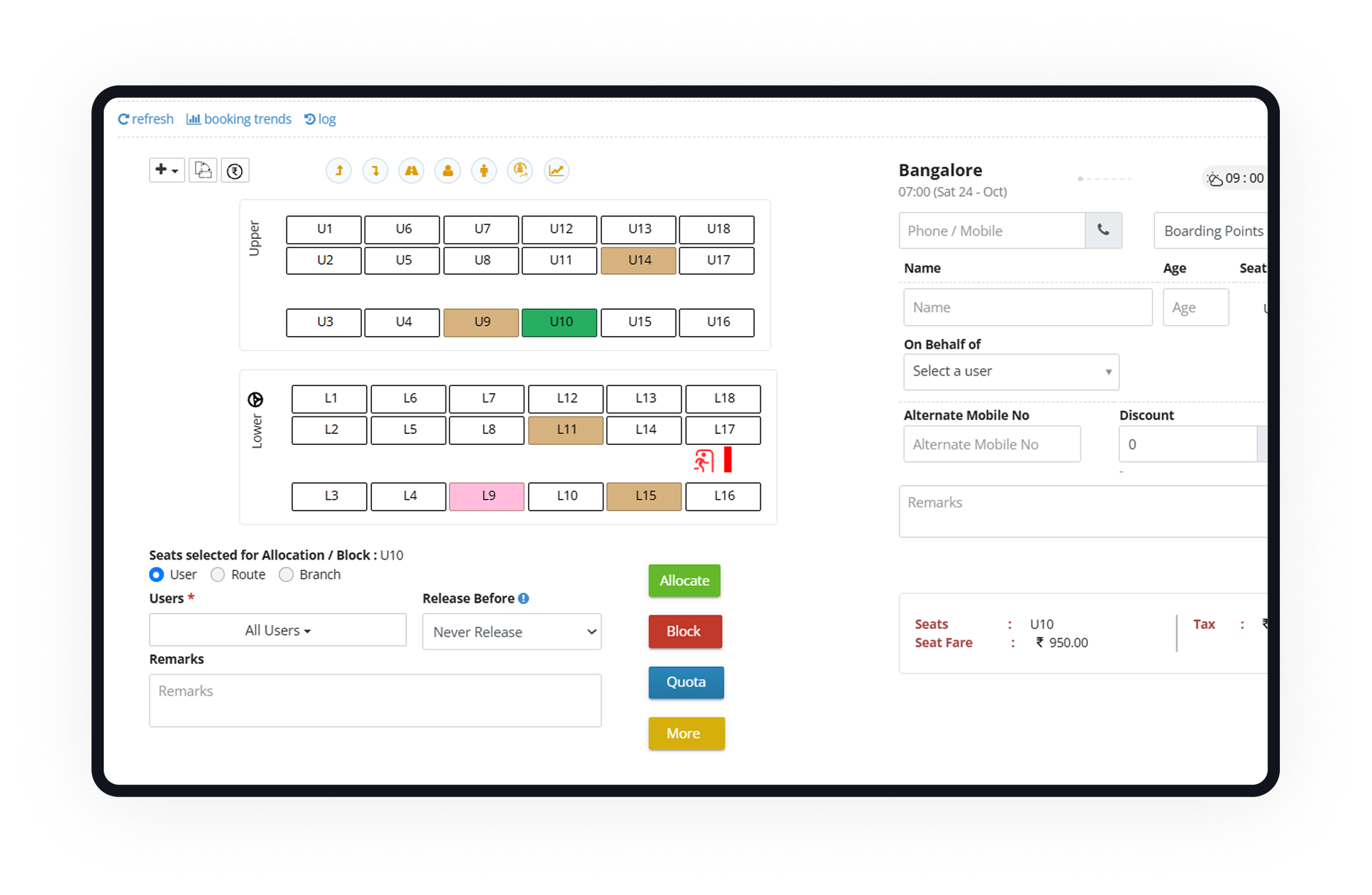
Five Seat States: Readable at a glance

  • Available Open for sale.
  • Booked Sold to a passenger for this journey.
  • Blocked Held out of sale by your team, marked with a lock.
  • Allocated Assigned to a user, route or branch.
  • Selected The seat you are working with right now.
EzeeBus seat layout showing available, booked, blocked, allocated and selected seats
Every seat state on one map

Every seat state on one map

A closer look at what your team sees and works with.
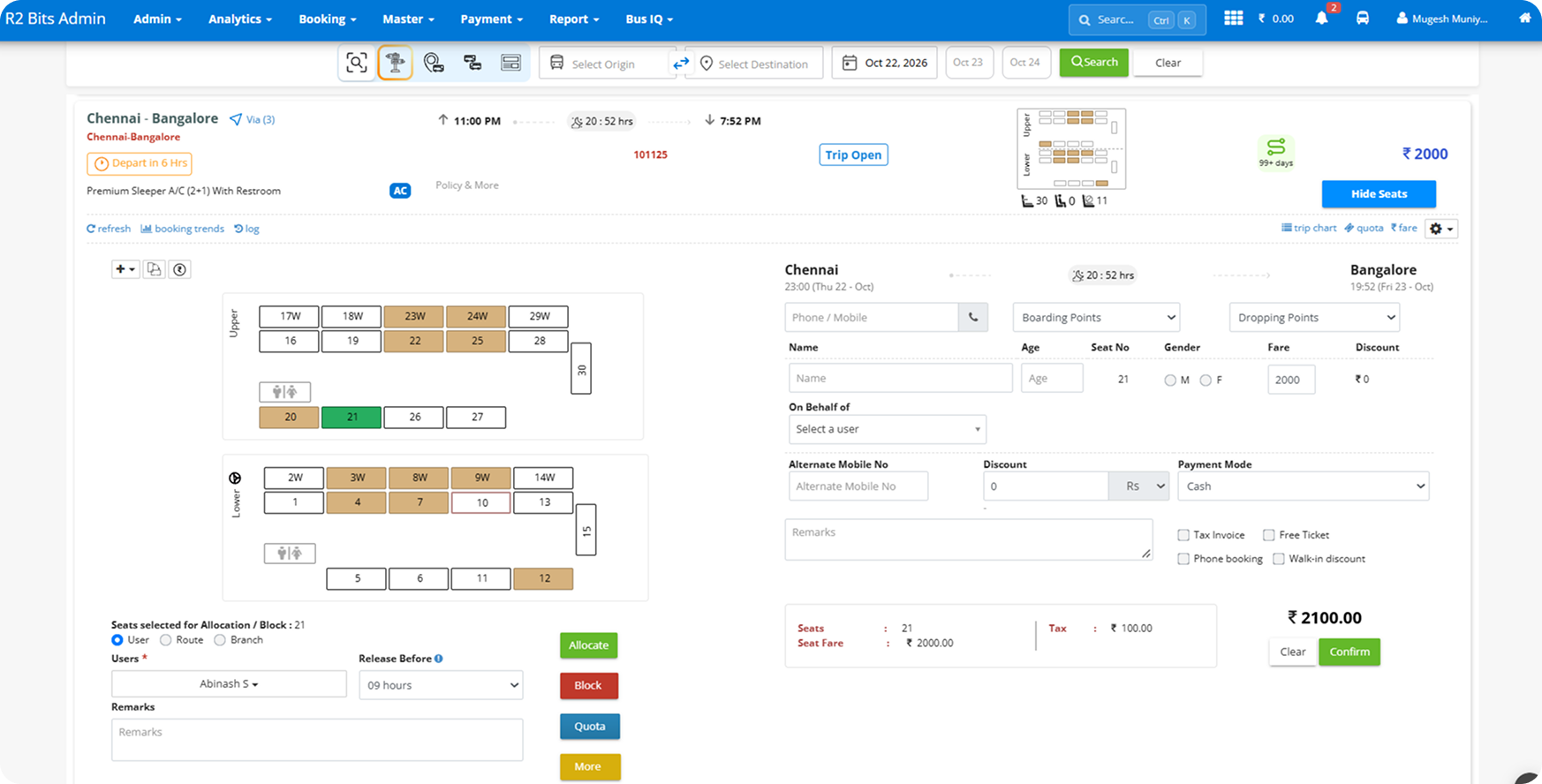
  • Trip header Bus Layout, route, departure time, and coach type for the trip you are working on.
  • Seat states Booked, blocked, phone block, allocated, quota, and available seats each have their own colour and marker.
  • Selection Selected seats are highlighted and ready for allocation, blocking, or quota.
Allocation in one panel

Allocation in one panel

A closer look at what your team sees and works with.
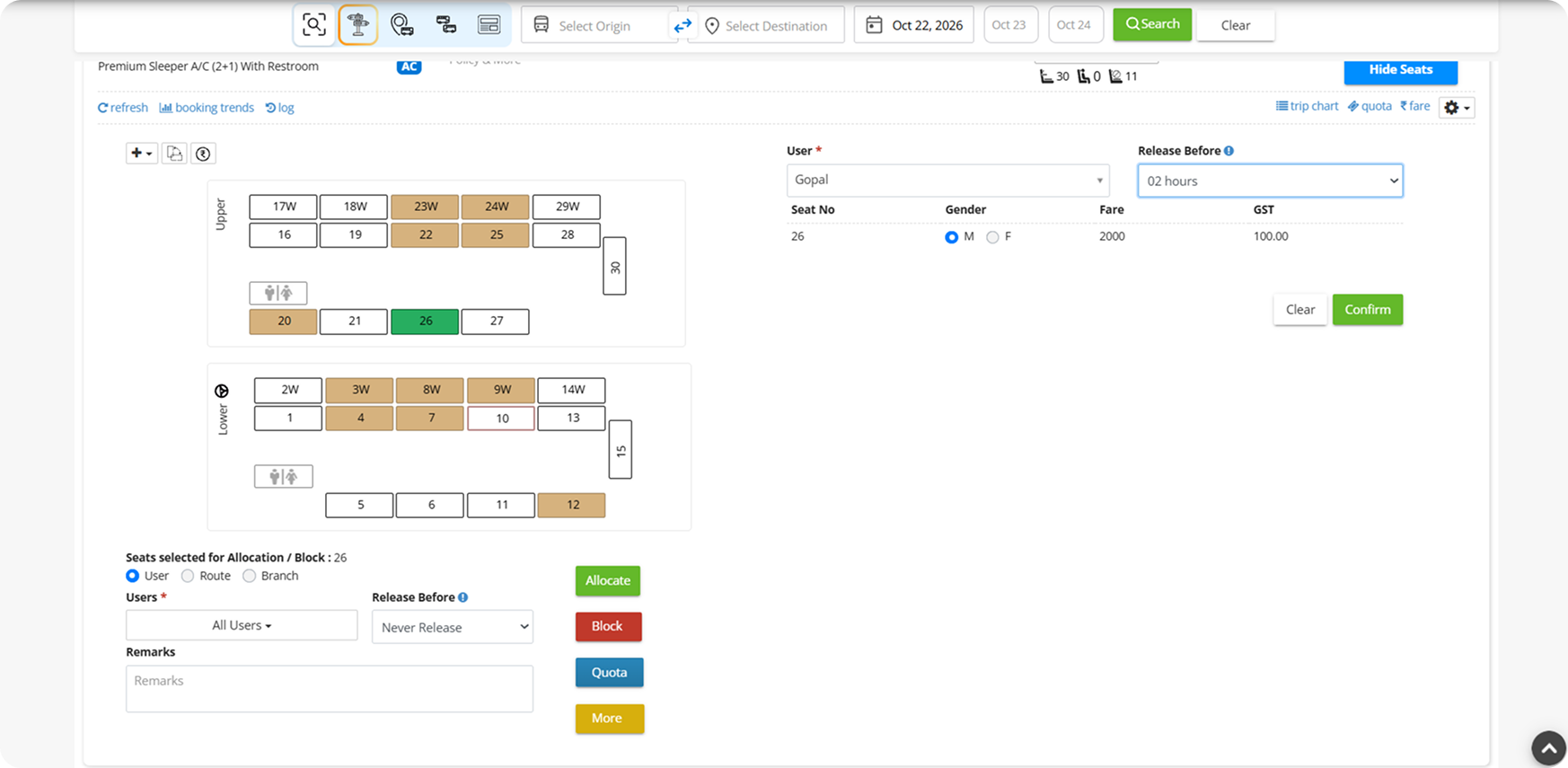
  • Selected seats The seats picked on the map are listed so you allocate exactly what you meant to.
  • Allocation target Switch between User, Route, and Branch and choose who receives the seats.
  • Release Before A release window from hours to days before departure, or Never Release.
Quota seats, clearly marked

Quota seats, clearly marked

A closer look at what your team sees and works with.
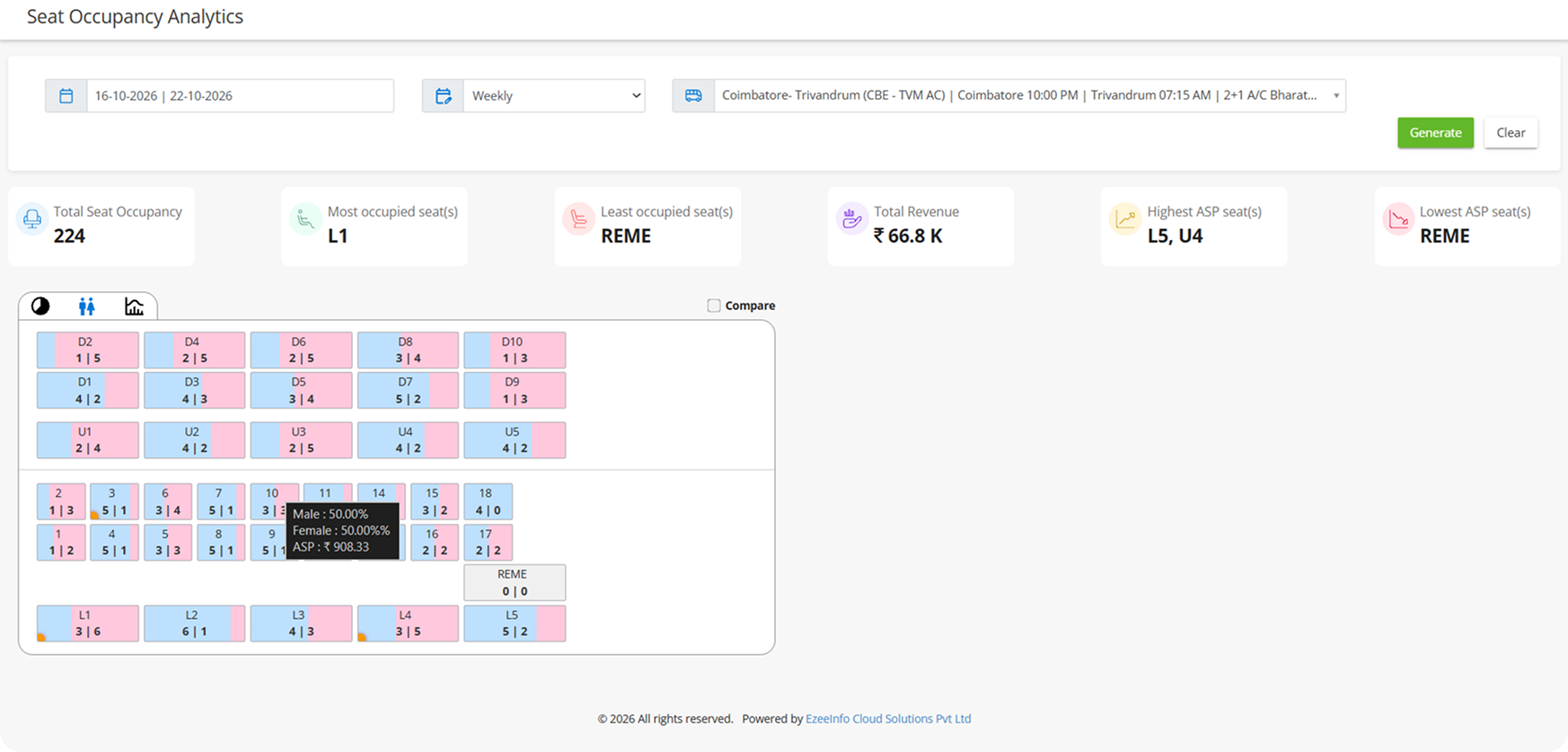
  • Quota treatment Quota seats use their own colour so they never blend into available inventory.
  • Gender markers Small M and F markers show classification directly on the seat.
  • Quota summary A list of quota seats with gender and fare for quick review.
Seat Occupancy Analytics at a glance

Seat Occupancy Analytics at a glance

Understand seat occupancy, passenger distribution, and revenue performance through a single visual report.
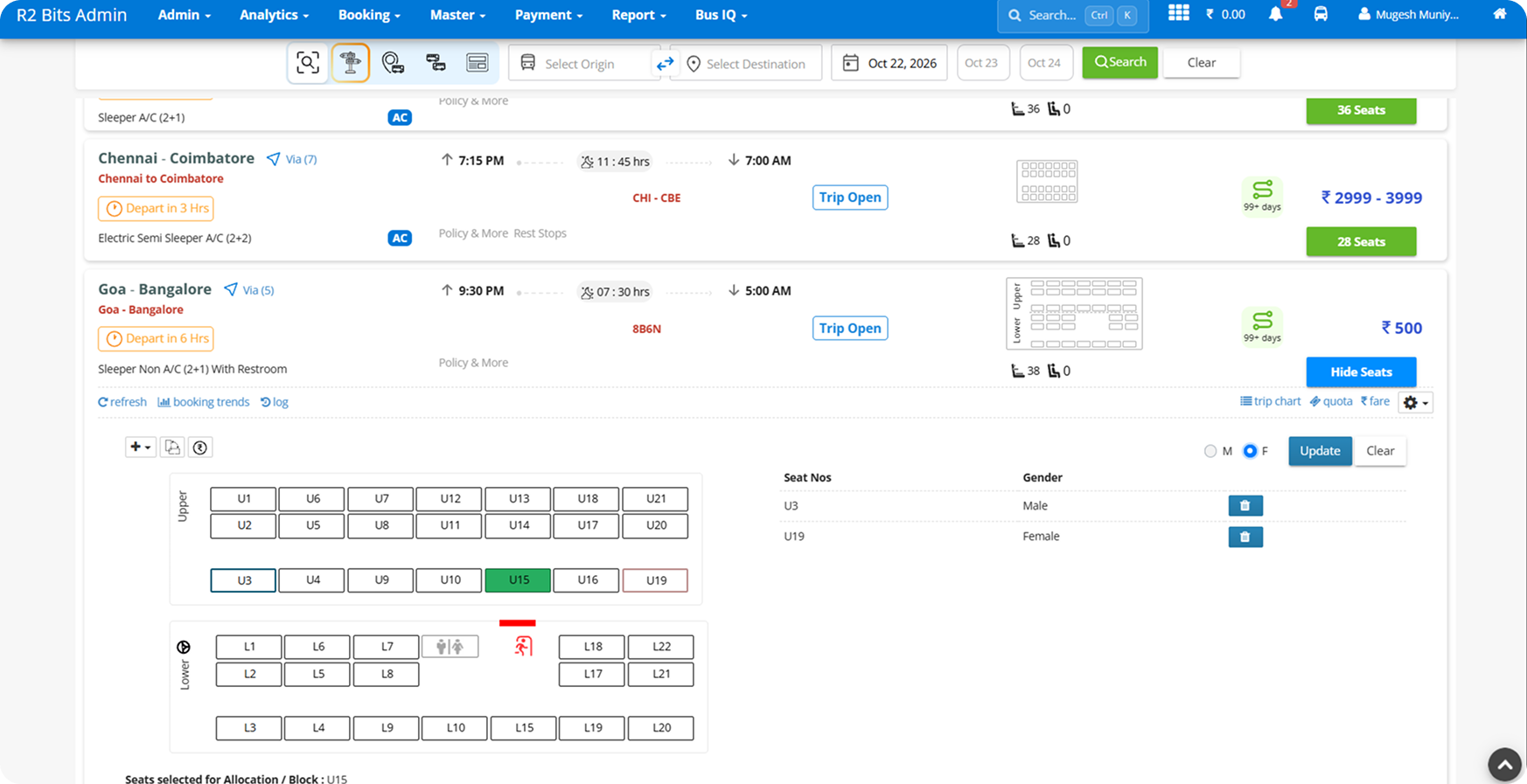
  • Occupancy Overview Track total seat occupancy, identify the most and least occupied seats, and review revenue and average seat price performance.
  • Gender-wise Occupancy Compare male and female passenger distribution across individual seats to understand booking patterns.
  • Seat-wise Revenue Analysis View revenue by seat and identify the highest and lowest average selling prices across the bus layout.
Gender Preference for Every Seat

Gender Preference for Every Seat

A clearer way to manage passenger gender preferences across your seat inventory.
  • Select Seats Choose individual seats directly from the bus seat layout to configure their gender preferences.
  • Trip occupancy Assign Male or Female preferences to selected seats and review the assigned gender alongside each seat number.
  • Update or Clear Update existing assignments or remove them when passenger arrangements change, keeping seat preferences easy to manage.
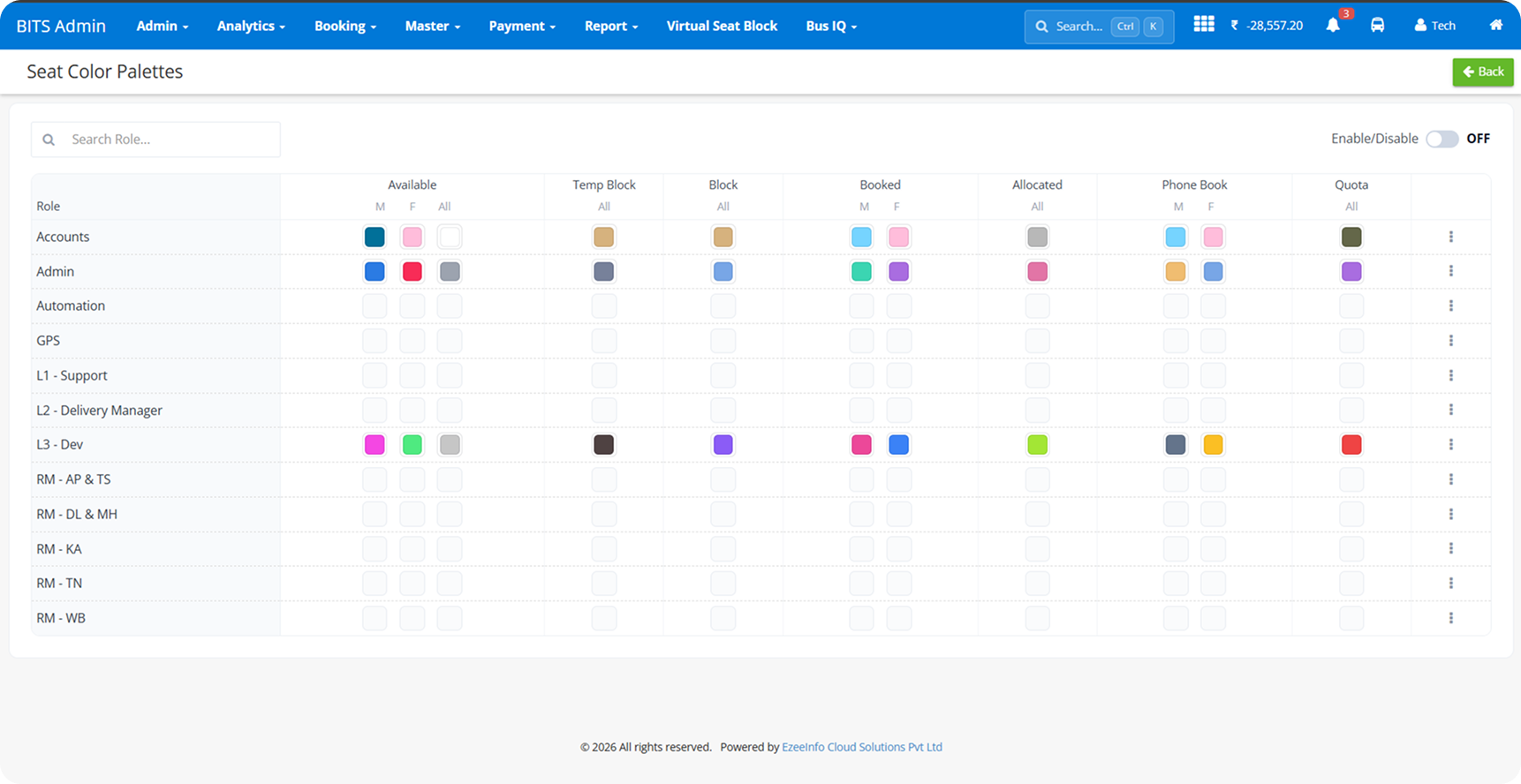
Seat Color Customization (Group / Role Level)

Seat Color Customization (Group / Role Level)

Personalize seat status colors by role to make availability, bookings, blocks, and gender preferences easier to identify.
  • Select Color Palette Choose from predefined color themes to match your preferred visual style.
  • Customize Seat Statuses Assign distinct colors to available, booked, blocked, allocated, quota, and gender-based seat states.
  • Configure by Role Set different color preferences for each user role to create a clearer, more personalized seat-management experience.
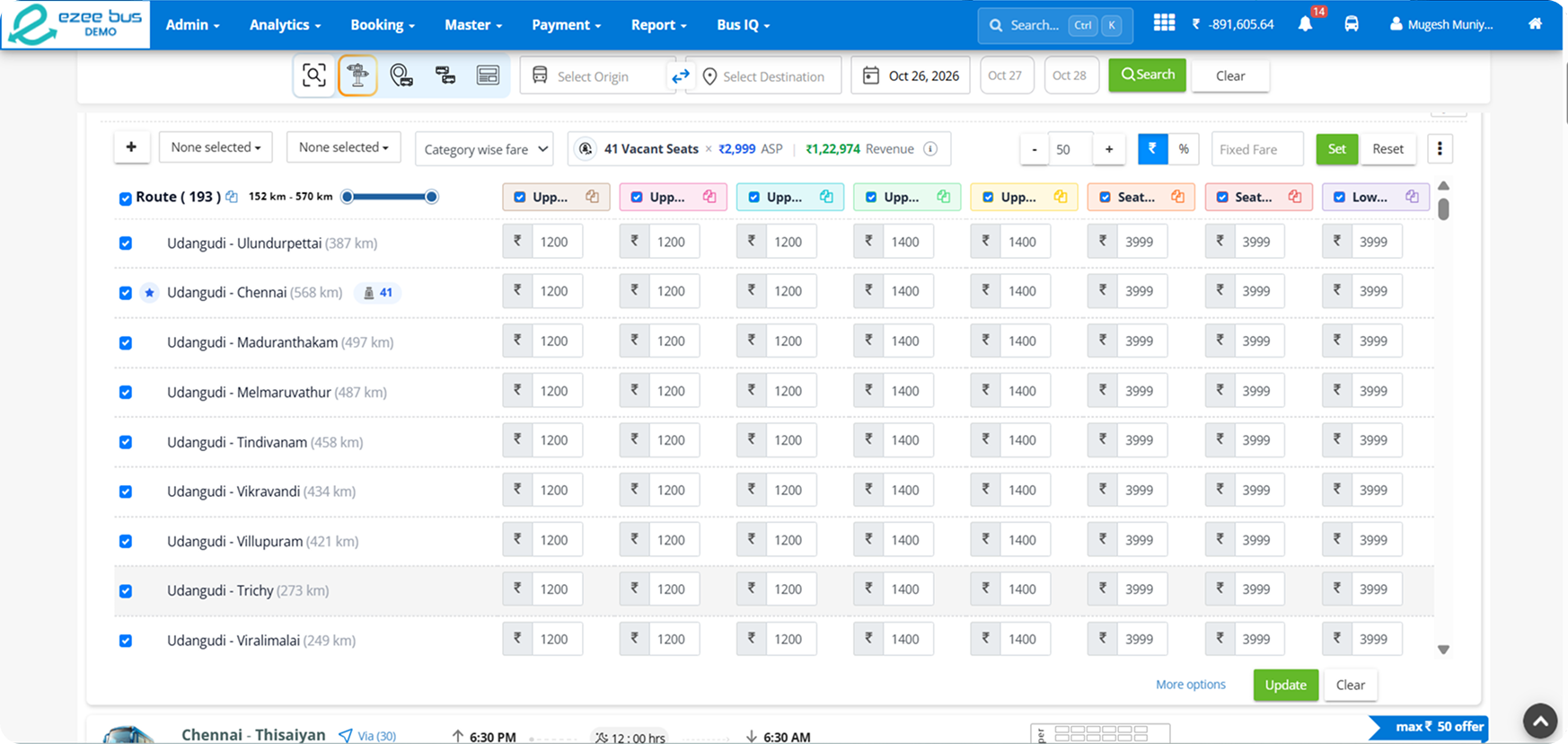
Seat-Wise Fare Category

Seat-Wise Fare Category

Create reusable fare templates with color-coded seat categories and apply them to trips for consistent pricing.

  • Create Fare Templates Define custom fare categories and assign seat numbers to each group.
  • Set Category Fares Configure individual fare values for each category using distinct colors for easy identification.
  • Apply to Trips Apply a saved fare template to a trip to quickly configure its seat-wise pricing.